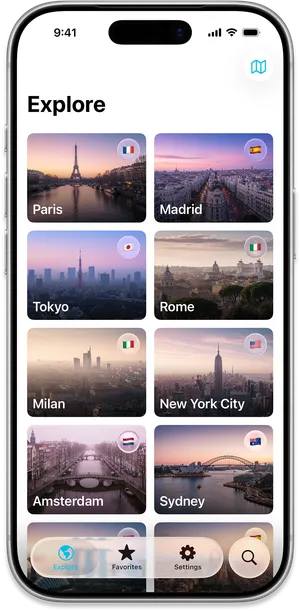
Top places
Browse 100 places by grid or map.
Start with a curated set of popular destinations, then move between visual cards and map markers as you narrow down the cities worth researching.
Open your phone camera and scan the QR code to install TripSeason.
Know when to go with seasonal weather insights for your next trip. Compare destinations, save favourites, and see how temperature, rain, daylight, and Tourism Score change month by month.
Open your phone camera and scan the QR code to install TripSeason.
Scan to download
Seasonal travel planning
TripSeason turns temperature, rain, daylight, and Tourism Score into clear month-by-month guidance for independent travellers comparing where and when to go.
Top places
Start with a curated set of popular destinations, then move between visual cards and map markers as you narrow down the cities worth researching.
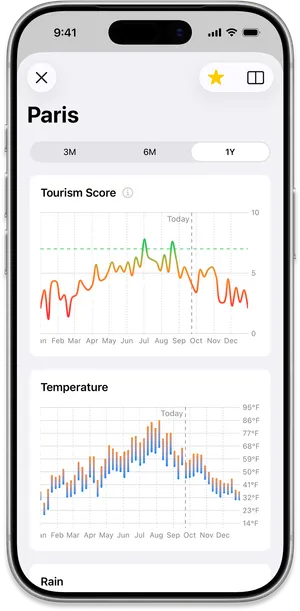
Tourism Score
Use a simple score based on temperature, rain, and daylight to spot pleasant travel windows, then open the weather charts behind each recommendation.
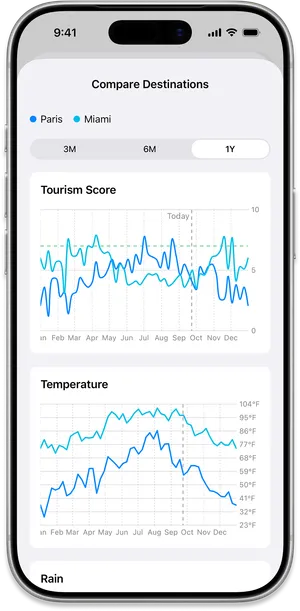
Compare cities
When two cities are competing for the same trip, compare their seasonal weather side by side and see which one better suits your dates.
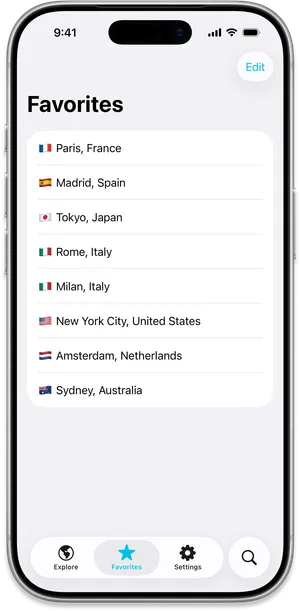
Saved places
Keep promising destinations in one place, reorder them as plans change, and sync favourites with Apple or Google sign-in.
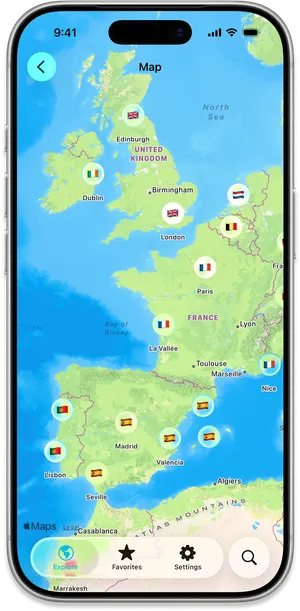
Map browsing
Use map markers to scan nearby destinations, spot regional alternatives, and find places you may not have searched for by name.
TripSeason FAQ
Quick details about what TripSeason includes, what TripSeason Plus unlocks, and how it helps compare destinations before a trip.
TripSeason helps you figure out the best time to visit a city by turning seasonal weather into simple charts for temperature, rain, daylight, and Tourism Score.
Yes. TripSeason Plus lets you compare two places side by side, so you can see which destination better fits your travel dates and comfort preferences.
The free experience includes exploring 100 top places in grid and map views, saving and reordering favourite places, and opening weather charts for curated destinations.
TripSeason Plus unlocks worldwide place search, weather charts for searched places, destination comparison, additional themes, and an ad-free weather chart opening experience.
Yes. You can sign in with Apple or Google to sync saved places, favourites, and your travel shortlist across devices.
Yes. TripSeason is built for iOS and Android, with App Store and Google Play links available from this page.
Download TripSeason to explore top places, compare seasonal weather, save favourites, and decide when your next destination is most likely to feel right.
Open your phone camera and scan the QR code to install TripSeason.
Scan to download